
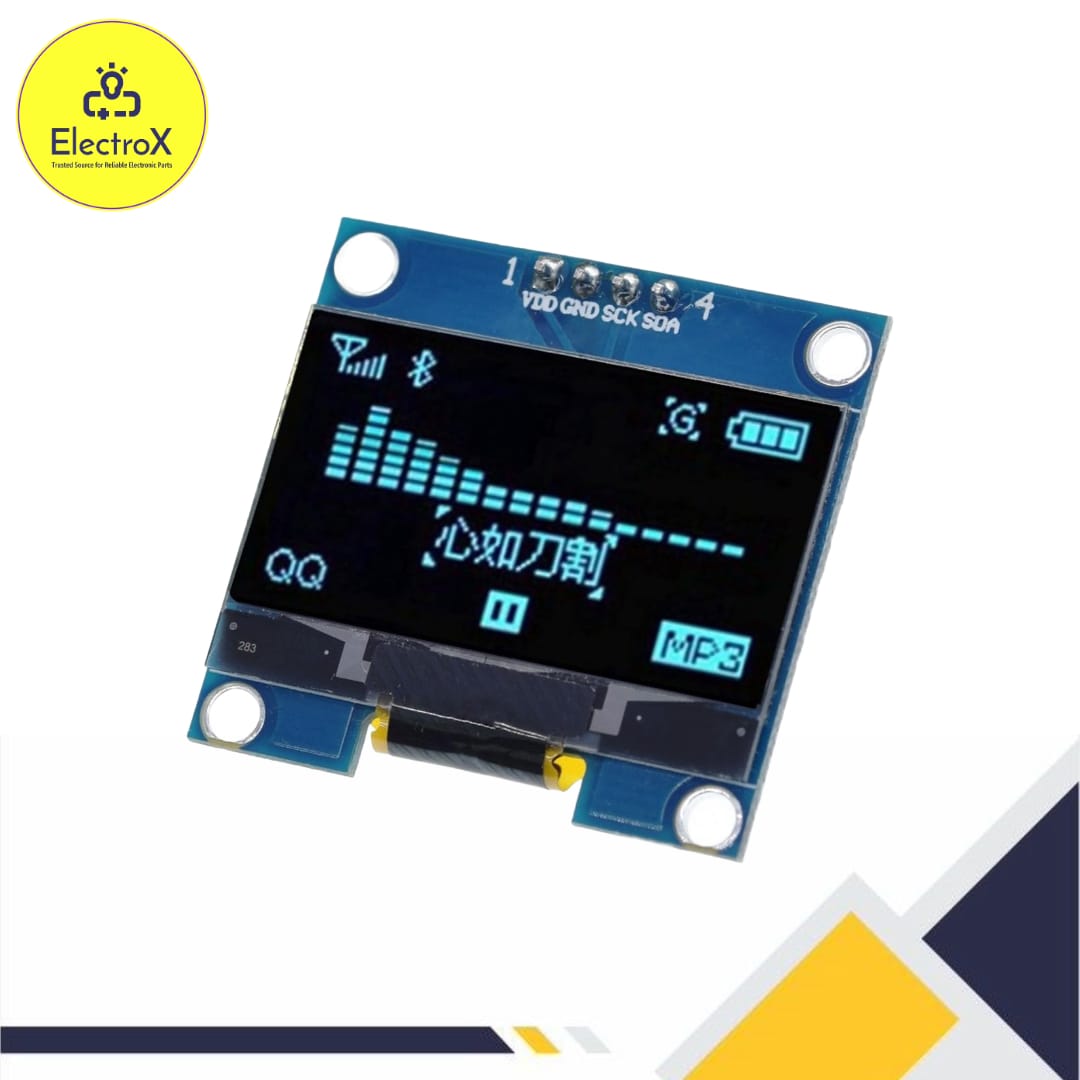


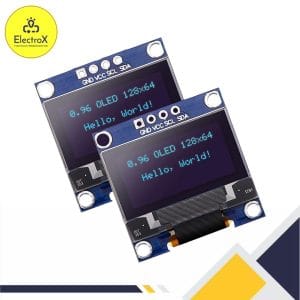
0.96 Inch OLED Display Module I2C IIC 128×64
Original price was: ৳ 350.৳ 250Current price is: ৳ 250.
- Resolution: 128×64 pixels.
- Interface: I2C/IIC communication protocol.
- Operating Voltage: 3.3V – 5V.
- Display Color: Monochrome (white, blue, or yellow options).
- Power Consumption: Low, ideal for battery-powered devices.
20 in stock
0.96 Inch OLED Display Price in Bangladesh
The 0.96 Inch OLED Display Module I2C IIC 128×64 is widely used for displaying text, graphics, and data in compact electronics projects. When combined with the Arduino UNO R3, it becomes a powerful tool for prototyping and developing IoT and embedded systems.
Key Features of the OLED Display Module
- High Resolution: 128×64 pixels for clear, sharp visuals.
- Compact Size: Perfect for projects with limited space.
- I2C Interface: Simplifies wiring and communication.
- Low Power Consumption: Ideal for battery-powered devices.
- Wide Compatibility: Works seamlessly with Arduino, Raspberry Pi, and other microcontrollers.
Components Required
- Arduino UNO R3
- 0.96 Inch OLED Display Module
- Breadboard
- Jumper wires
Connecting the OLED Display to Arduino UNO
The OLED display uses the I2C protocol, requiring only two data pins: SCL (Serial Clock Line) and SDA (Serial Data Line). Here’s how to connect it:
| OLED Pin | Arduino Pin |
|---|---|
| VCC | 3.3V or 5V |
| GND | GND |
| SCL | A5 (on UNO) |
| SDA | A4 (on UNO) |
Installing the Required Libraries
- Open the Arduino IDE.
- Choose Sketch, then Include Library, and finally Manage Libraries.
- Search for Adafruit SSD1306 and Adafruit GFX.
- Install both libraries.
Sample Code for Testing the OLED Display
Here’s a basic example to display “Hello, World!” on the OLED:
#include <Wire.h>
#include <Adafruit_GFX.h>
#include <Adafruit_SSD1306.h>
// Define OLED display width and height
#define SCREEN_WIDTH 128
#define SCREEN_HEIGHT 64
// Create an instance of the display object
Adafruit_SSD1306 display(SCREEN_WIDTH, SCREEN_HEIGHT, &Wire, -1);
void setup() {
// Initialize the serial monitor
Serial.begin(9600);
// Initialize the OLED display
if (!display.begin(SSD1306_I2C_ADDRESS, 0x3C)) { // Address 0x3C for most displays
Serial.println(F(“SSD1306 allocation failed”));
for (;;); // Stop execution if initialization fails
}
display.clearDisplay(); // Clear the display buffer
// Display test message
display.setTextSize(1); // Set text size (1 = small, 2 = medium, etc.)
display.setTextColor(SSD1306_WHITE); // Set text color to white
display.setCursor(0, 10); // Set cursor position (x: 0, y: 10)
display.println(“Testing OLED!”); // Print a message
display.display(); // Display the buffer on the screen
delay(2000);
// Draw basic shapes for testing
display.clearDisplay();
display.drawRect(10, 10, 50, 30, SSD1306_WHITE); // Draw rectangle
display.drawCircle(64, 32, 15, SSD1306_WHITE); // Draw circle
display.display();
delay(2000);
// Display a scrolling text demo
display.clearDisplay();
display.setCursor(0, 0);
display.println(“Scrolling Text Demo”);
display.display();
delay(1000);
display.startscrollleft(0x00, 0x0F); // Start horizontal scrolling
delay(5000); // Scroll for 5 seconds
display.stopscroll(); // Stop scrolling
}
void loop() {
// Add your main code here
}
Applications
- IoT Projects: Display sensor data like temperature, humidity, or light levels.
- Wearables: Perfect for creating small and lightweight screens.
- DIY Projects: Useful for making clocks, counters, or gaming interfaces.
Advantages of Using OLED Displays
- Energy Efficiency: Consumes less power than traditional LCDs.
- Wide Viewing Angle: Excellent visibility from different angles.
- No Backlight Needed: OLEDs emit their own light, ensuring vibrant visuals.
Conclusion
Interfacing a 0.96 Inch OLED Display Module I2C IIC 128×64 with an Arduino UNO R3 is straightforward and highly rewarding. Whether you’re a beginner exploring electronics or a seasoned developer, this combination offers a robust solution for various applications. With its ease of use, reliability, and flexibility, the OLED module enhances your projects with sharp visuals and user-friendly integration.
Common Questions:
What is the price of 0.96 Inch OLED Display Module I2C IIC 128×64 in Bangladesh?
The latest price of 0.96 Inch OLED Display Module I2C IIC 128×64 in Bangladesh is 250BDT.
Where to buy 0.96 Inch OLED Display Module I2C IIC 128×64 in Bangladesh?
You can buy the 0.96 Inch OLED Display Module I2C IIC 128×64 at the best price from ElectroXBD in Bangladesh.
Tutorial: Click Here
Only logged in customers who have purchased this product may leave a review.

Reviews
There are no reviews yet.