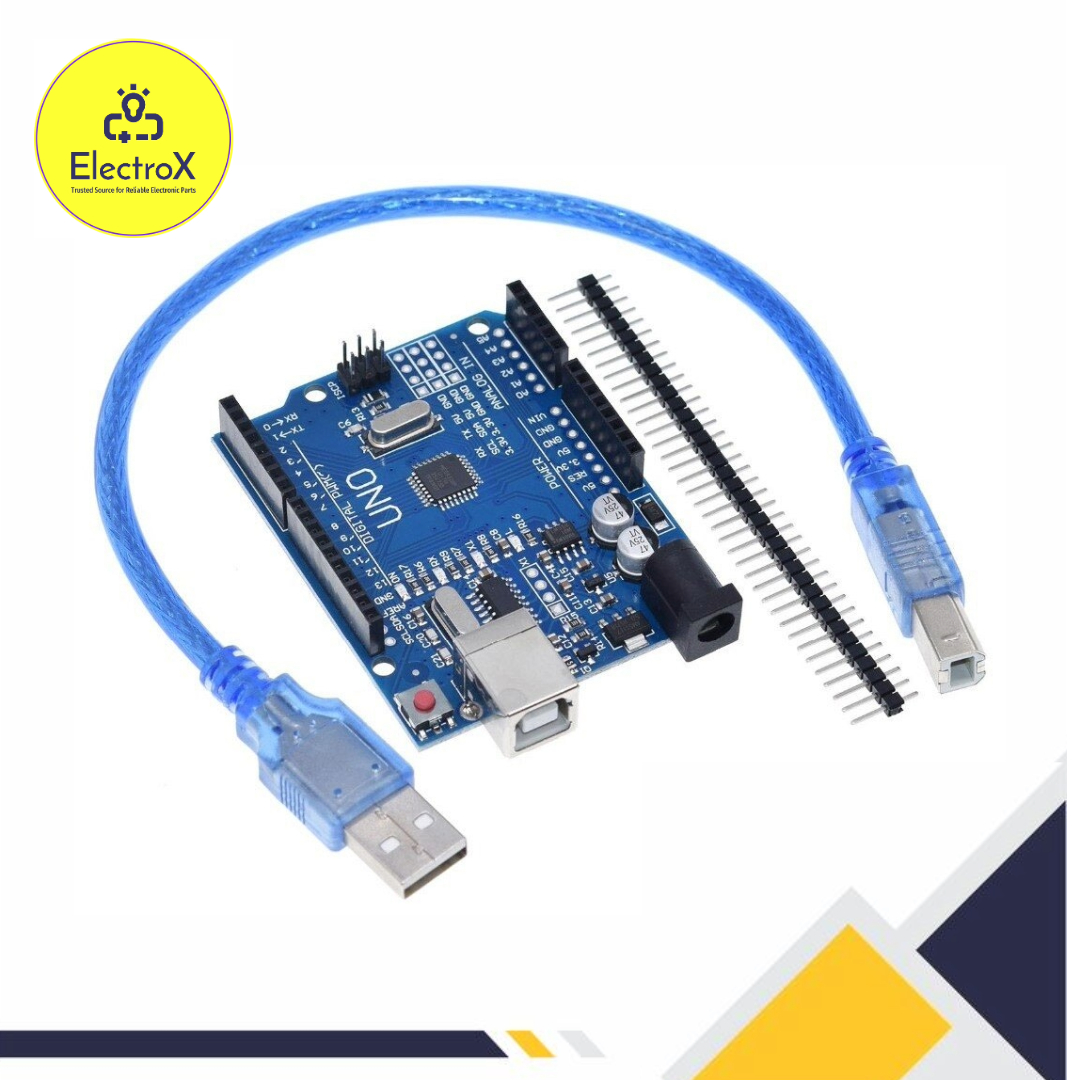
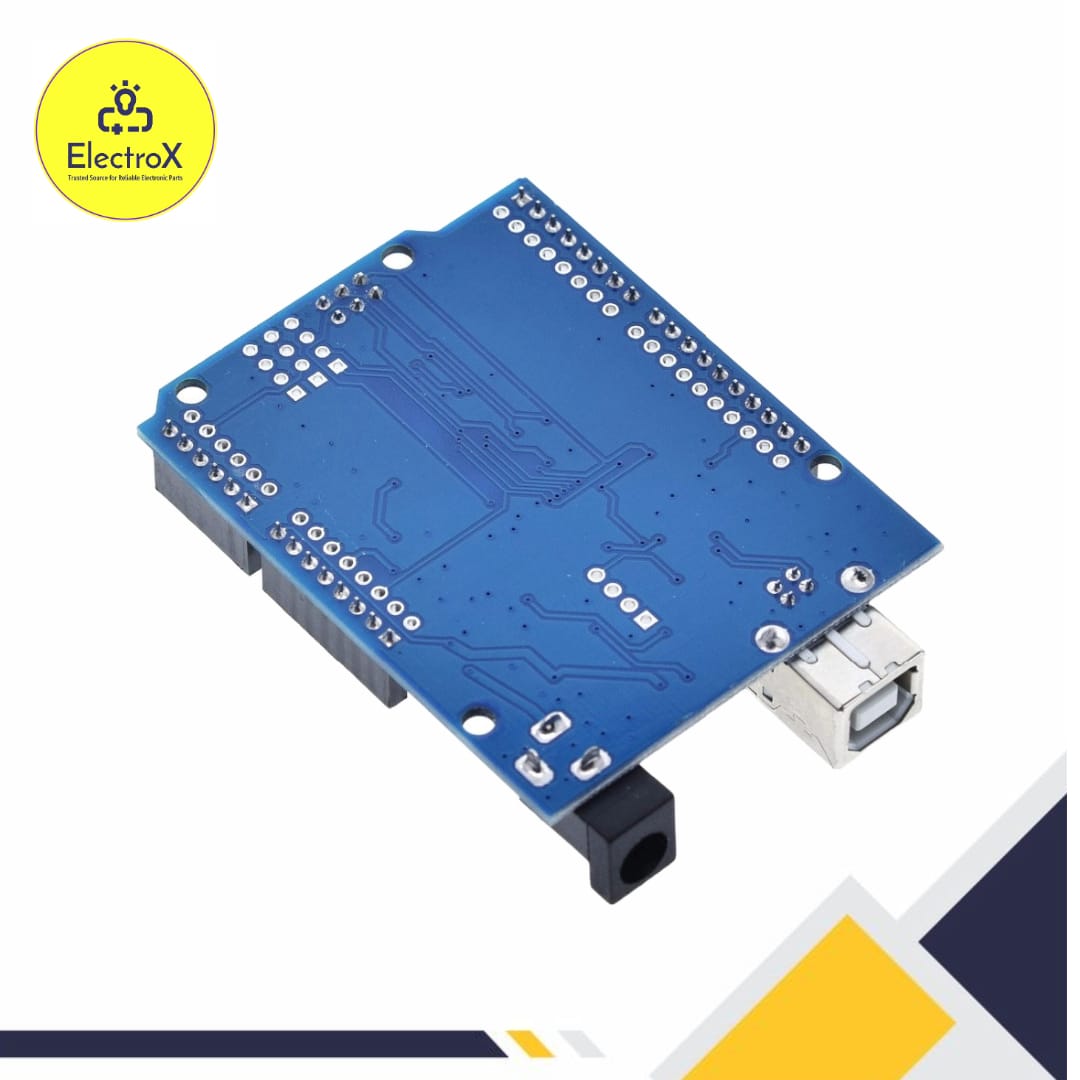


Arduino UNO R3 SMD Version With USB cable
Original price was: ৳ 600.৳ 450Current price is: ৳ 450.
- Microcontroller: ATmega328P, surface-mounted.
- Pins: 14 digital, 6 analog, 6 PWM.
- Connectivity: USB, external power (7-12V recommended).
- Origin: Made in China.
Arduino UNO R3 SMD Version Price in Bangladesh
The Arduino Uno is one of the most popular microcontroller boards used by hobbyists, students, and professionals alike. The SMD version of the Arduino Uno R3 is a variant that uses a surface-mounted device (SMD) version of the ATmega328P microcontroller, instead of the through-hole version found on the standard Uno R3. This design change provides a slightly different set of characteristics, but overall, it maintains the functionality and ease of use that Arduino is known for.
1. Microcontroller
The Arduino Uno R3 SMD is powered by the ATmega328P microcontroller. This microcontroller is a low-power, high-performance CMOS 8-bit microcontroller based on the AVR enhanced RISC architecture. It has 32KB of flash memory, 2KB of SRAM, and 1KB of EEPROM. The primary difference in the SMD version is that the microcontroller is soldered directly onto the board rather than being placed in a socket.
Key Features of ATmega328P:
- Operating Voltage: 5V
- Input Voltage (recommended): 7-12V
- Input Voltage (limit): 6-20V
- Digital I/O Pins: 14 (of which 6 provide PWM output)
- Analog Input Pins: 6
- DC Current per I/O Pin: 20 mA
- Flash Memory: 32 KB (ATmega328P) of which 0.5 KB is used by the bootloader
- SRAM: 2 KB (ATmega328P)
- EEPROM: 1 KB (ATmega328P)
- Clock Speed: 16 MHz
2. SMD vs. DIP Microcontroller
The primary difference between the SMD version and the standard version of the Arduino Uno R3 is the packaging of the microcontroller. The standard version uses a Dual Inline Package (DIP) ATmega328P, which can be removed and replaced. The SMD version, on the other hand, has the ATmega328P microcontroller soldered directly onto the board, which makes it non-removable without desoldering equipment.
Advantages of SMD:
- Compact Design: SMD components take up less space, which can allow for more compact designs.
- Reliability: SMD components are typically more resistant to vibration and mechanical stress.
- Cost-Effectiveness: In mass production, SMD components can be less expensive to manufacture.
Disadvantages of SMD:
- Non-Removable: The microcontroller cannot be replaced easily if it is damaged.
- Repair Difficulty: SMD components require specialized equipment for repair or replacement.
3. Power Supply
The Arduino Uno R3 SMD can be powered via the USB connection or with an external power supply. The power source is selected automatically. The board can operate on an external supply from 6 to 20 volts, though the recommended range is 7 to 12 volts to ensure stable operation.
Power Input Options:
- USB Connection: The simplest way to power the Arduino, also used for programming.
- Barrel Jack: Allows an external power supply to be connected (7-12V recommended).
- VIN Pin: You can supply the Arduino with a voltage through this pin, similar to the barrel jack.
On-Board Power Regulation:
- 5V Pin: Regulated power supply used to power the microcontroller and other components on the board.
- 3.3V Pin: A lower voltage supply available on the board, typically used for components that require 3.3V.
- GND Pins: Multiple ground pins are available for completing circuits.
4. Input and Output
The Arduino Uno R3 SMD version comes with 14 digital input/output pins, six of which can be used as PWM outputs. It also has six analog inputs. Each pin operates at 5V, and can provide or receive a maximum of 40 mA, but the recommended current per pin is 20 mA to avoid damaging the microcontroller.
Digital Pins:
- Pin Mode: Can be configured as input or output.
- PWM: Pins 3, 5, 6, 9, 10, and 11 provide 8-bit PWM output.
Analog Pins:
- Resolution: 10-bit ADC (Analog-to-Digital Converter), providing values from 0 to 1023.
- Reference Voltage: Can be set using the AREF pin for custom analog reference.
Special Pins:
- TX/RX: Digital pins 0 and 1 are used for serial communication.
- Reset: A pin that can be used to reset the microcontroller.
- AREF: The reference voltage for analog inputs.
5. Communication
The Arduino Uno R3 SMD version includes several communication protocols, making it versatile for various projects.
Serial Communication:
- UART: The board uses pins 0 (RX) and 1 (TX) for serial communication. These are connected to the USB via an ATmega16U2 microcontroller, which allows communication with a computer.
I2C Communication:
- SDA/SCL Pins: The I2C communication pins are near the AREF pin. I2C is commonly used for communication with sensors and other peripherals.
SPI Communication:
- MOSI, MISO, SCK, SS Pins: These pins are used for SPI communication, often utilized in high-speed data exchange.
6. Programming
The Arduino Uno R3 SMD version can be programmed using the Arduino IDE, which is a simple and open-source platform. The board comes preloaded with a bootloader, allowing you to upload code without needing an external programmer.
Programming Method:
- Via USB: Connect the board to your computer using a USB cable, select the correct board and port in the Arduino IDE, and upload your code.
- ICSP Header: The board also has an In-Circuit Serial Programming (ICSP) header that can be used to bypass the bootloader for programming.
7. Shields and Expansion
The Arduino Uno R3 SMD version is compatible with a wide range of Arduino shields, which are expansion boards that can add various functionalities, such as motor control, GPS, Wi-Fi, or Ethernet. The board’s layout allows for easy stacking of shields, enabling you to expand the functionality of your project.
Common Shields:
- Motor Shield: For controlling DC motors and servos.
- Wi-Fi Shield: Adds wireless communication capability.
- Ethernet Shield: Enables network connectivity via Ethernet.
- LCD Shield: For adding display capabilities.
8. Applications
The Arduino Uno R3 SMD version is suitable for various applications, from simple LED blink projects to complex robotics.
Common Applications:
- Prototyping: Ideal for developing and testing new ideas quickly.
- Education: Widely used in schools and universities for teaching electronics and programming.
- Home Automation: Can be used to control home appliances and systems.
- Robotics: Frequently used in building robots, thanks to its ability to control motors, sensors, and other peripherals.
9. Community and Resources
- Arduino Website: Official documentation, tutorials, and libraries.
- Forums: Community support for troubleshooting and project ideas.
- GitHub: Open-source projects and libraries available for Arduino.
Common Questions:
What is the price of Arduino UNO R3 SMD Version With USB cable in Bangladesh?
The latest price of Arduino UNO R3 SMD Version With USB cable in Bangladesh is 500BDT.
Where to buy Arduino UNO R3 SMD Version With USB cable in Bangladesh?
You can buy the Arduino UNO R3 SMD Version With USB cable at the best price from ElectroXBD in Bangladesh.
Tutorial: Click Here
| Weight | 0.3 g |
|---|
Only logged in customers who have purchased this product may leave a review.


Reviews
There are no reviews yet.